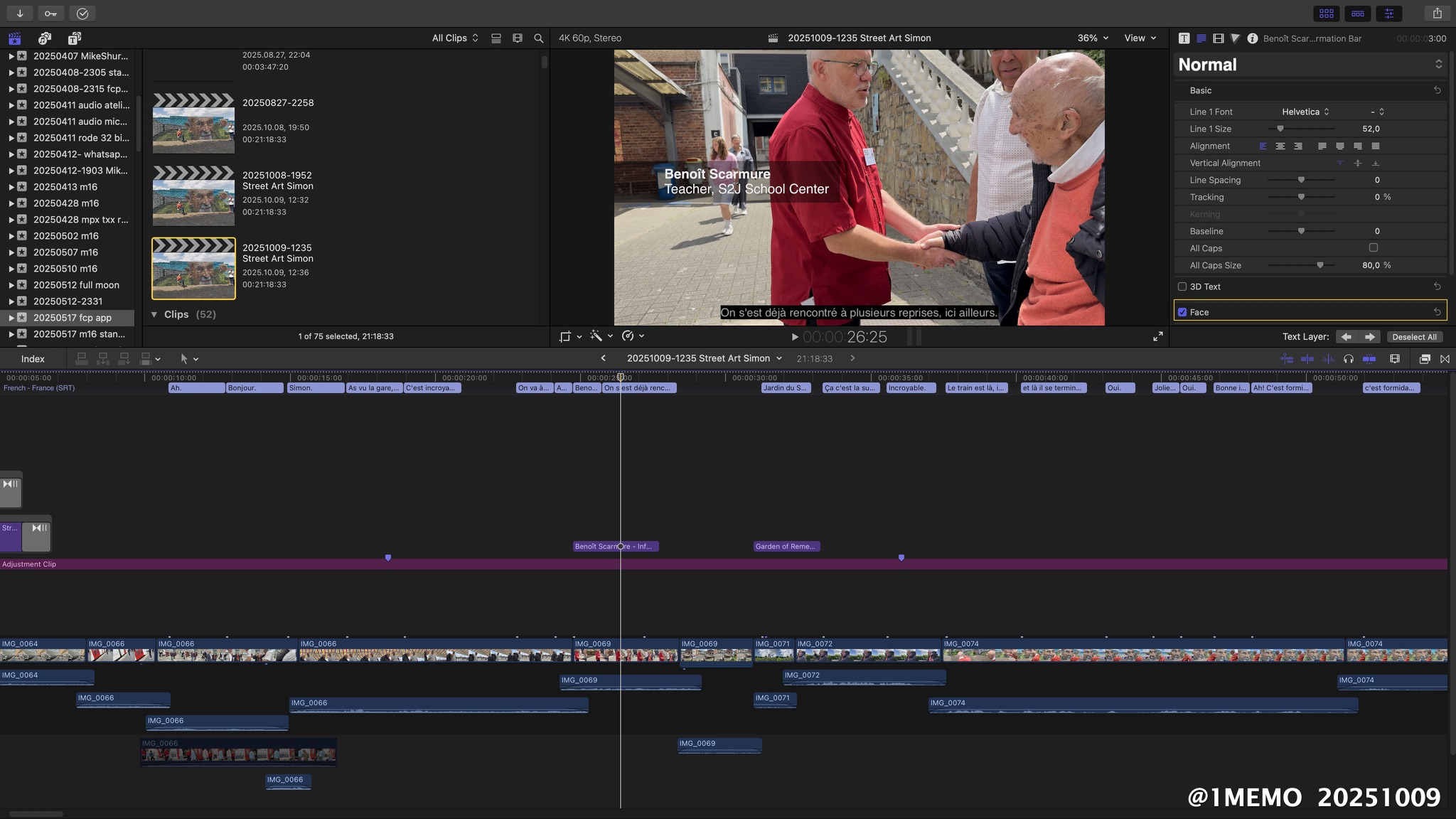
Behind the scenes (BTS) , making doc Street Art Simon. Finished today translation of the French trancript to English. Now inserting English captions (CC ; closed captions) in the upcoming Street Art Simon’s documentary – working in Final Cut Pro.
With ‘Here Simon …is Nicolas’ teacher Philippe Renette introduces the Liège street artist HYER (aka Nicolas) to Simon Gronowksi, at the inauguration of the mural HYER created together with the students in the S2J School Center in Liège, Belgium, May 17, 2025.
Citation info : Closed Captions EN|FR • Michel van der Burg • Miracles•Media • @1MEMO 20251010 • TakeNode 0b75211f-a9d2-449a-aea7-1d2b0c837cca
Finished the french audio transcript , now final phase of Street Art Simon’s documentary – captions with transcript, translation, (inter)titles , credits – in Final Cut Pro.
Citation info : Captions • Michel van der Burg • Miracles•Media • @1MEMO 20251009 • TakeNode f9448ba7-8665-4d79-8ace-dd70380e085f
New User HDR Title Templates | 20220918 | Michel van der Burg | Miracles•Media | Quod Erat Demonstrandum (Which was to be demonstrated). Video made with a new user account on my Mac using Final Cut Pro first time in that account – using the yesterday presented custom made HDR title templates (BUM20220917_Titles). First, before starting FCP, the Titles folder (containing the HDR_Titles folder) was dragged inside the (empty) Motion Templates folder in the Movies folder of this new account. See yesterday’s post (HDR Title Templates Final Cut Pro | 20220917 | https://1-memo.com/2022/09/17/hdr-title-templates-final-cut-pro-20220917/ ) for more info on the use of this free download of HDR Title templates via buymeacoffee•com/miracles•media . TakeNode : c5a4797b-e1d2-498e-bff9-4d3cef83b07b
HDR Title Templates Final Cut Pro | 20220917 | Michel van der Burg @ Miracles•Media | Custom made HDR title templates for use in both HDR or SDR projects in Final Cut Pro. Use the templates in HDR projects with eg 50-100% opacity. In SDR projects use these HDR templates with eg 2-5% opacity. Free download HDR_Titles at buymeacoffee•com/miracles•media . TakeNode (license) title templates (BUM20220917_Titles) : 8875369d-fe0a-4e62-8986-c3ffebb5eec2
Limited number of slots available .
Instructions for use : Download and Unzip the folder file BUM20220917_Titles.zip containing the folder HDR_Titles. Move the HDR_Titles folder into your Titles folder inside your folder Motion Templates in the Movies folder … see guide in description below.
Open the folder BUM20220917_Titles. This contains the folder Titles with the template folder HDR_Titles.
On your Mac open folder Movies , go to folder Motion Templates. Open Motion Templates , if your folder already contains a Titles folder , just drag the HDR_Titles folder inside your Titles folder (see image in video). Else, if your Motion Templates folder has no Titles folder , drag the downloaded Titles folder (containing the HDR_Titles folder) inside your Motion Templates folder (see image in video). Feel free to support my work and buy me a coffee ;) I just created that page. Title templates (2) names :
01HDR4KLowThird100
02HDR4KCredit100
Download BUM20220917_Titles (limited number available) via buymeacoffee•com/miracles•media
TakeNode video : fd4c27af-1829-4687-9c5d-5493da89469e
White Text HDR in Final Cut Pro | 20210114 | 1-memo•com
SUMMARY
Problem : Grey Text
White text eg. Titles in Final Cut Pro ,
looks grey on HDR footage ( iPhone 12 – Rec.2020 HLG ) in a FCP Wide Gamut library. Solution : HDR Tools
Apply HDR Tools to the title clips, logo (PNG) etc … Mode : PQ to HLG (Rec.2100) Peak Brightness (nits) 100 (– 200). Brightness may be fine tuned with a peak (nits) between eg. 100-200/300.
Text like eg. Titles in Final Cut Pro that normally is white in a standard library (SDR) is grey on HDR footage in a wide gamut library, and thus cannot be used in most cases.
Here I use a Wide Gamut library in Final Cut Pro (using version 10.4.10) and a Project color space : Wide Gamut HDR – Rec. 2020 HLG.
I today found a solution – workaround perhaps – using the HDR Tools filter in the app.
Just apply the filter to the title clip and set the HDR Tools Mode : PQ to HLG (Rec.2100) – Peak Brightness (nits) 100.
This also works in the Motion app that I use to make custom subtitle templates – here the HDR Tools is used on the layer ‘Type Text Here’.
Footage filmed in Dolby Vision HDR on the iPhone 12 Pro Max with Shure MV88 for sound, in the Green Heart of Holland.
This short film starts with no HDR Tools applied. Top left is the logo ① memo based on a PNG file. A FCP lower-third title is used in the first part. In the last part the summary text is shown in a custom made Motion template.