Video Review #8 ProRes Log vs ProRes HLG iPhone 16 Pro • 20241123


Test #2 comparing 4K 25p Prores HQ Apple Log (Rec. 2020) vs HDR (Rec. 2020 HLG) video recording internally in iPhone 16 Pro.
Also comparing again the Stalman procedure and LUT with the Log files (see below) as described in detail a few days ago , dd 20241115 (link below).

Video edited with Final Cut Pro 11 in ProRes HQ – 4K 25p SDR projects (Rec. 709).
ProRes uploads, 4K at YouTube, and HD at Vimeo. Uploads at Substack and Instagram using the Vimeo converted HD file (H264).

Notes

How to color grade LOG in Final Cut Pro (Aug 13, 2024) by Tyler Stalman URL https://youtu.be/OZFtRYnUuoQ

Video Review #3 ProRes Log vs ProRes HLG from iPhone 16 Pro • 20241115 – URL https://youtu.be/_4EEaLF6cGY

Citation info : Video Review #8 ProRes Log vs ProRes HLG iPhone 16 Pro • Michel van der Burg • Miracles•Media • @1MEMO 20241123 • TakeNode 163a1495-7708-4a20-93bb-f653cf495cd2

Video Review #3 ProRes Log vs ProRes HLG from iPhone 16 Pro • 20241115


Third day with the new iPhone 16 Pro Max. Comparing Apple Prores HQ video recording using both the Apple Log (Rec. 2020) and the HDR (Rec. 2020 HLG) color space format.
Internal 4K 25p video recording with the main – fusion – camera set at both 1x and 2x. I am not a colorist ;) and have no experience with log video.
I do have some experience with HDR-HLG recording on both the iPhone and Sony camera’s, and editing HLG in FCP, mostly in standard gamut SDR projects.
Started last night editing Apple log clips , and online found an interesting instruction video by Stalman.
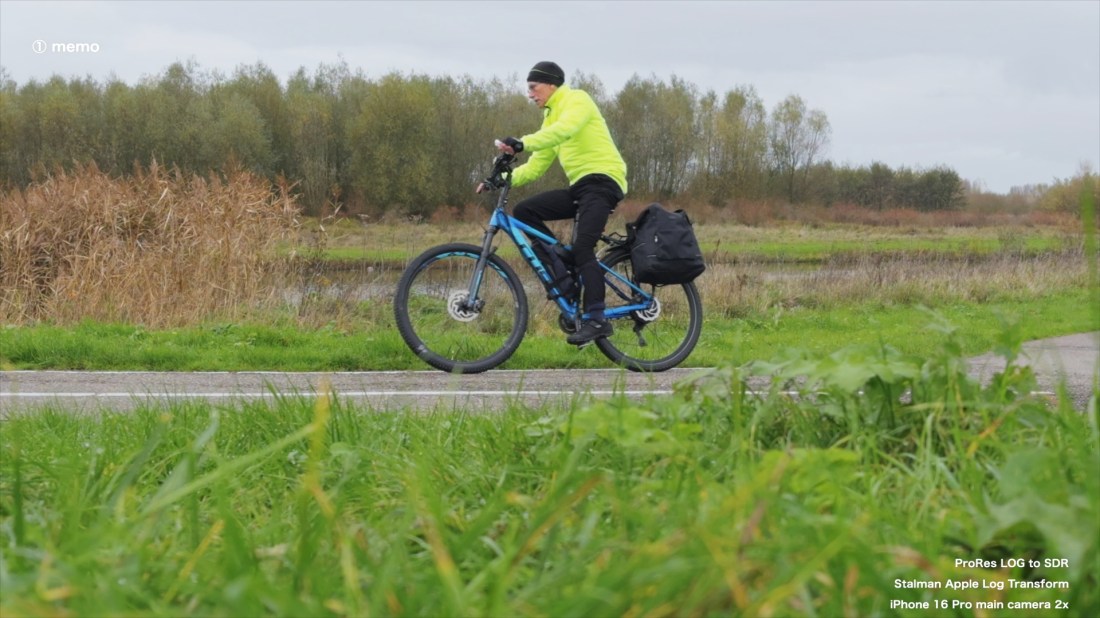
I tested the Stalman procedure (YouTube URL https://youtu.be/OZFtRYnUuoQ ) of changing file settings (Color space override with Rec.709 ; disable Apple’s Apple Log LUT) and color grading before applying the Stalman – Apple Log to Rec709 LUT on my Apple Log clips and saved my color graded video ‘Stalman Apple Log Transform (SALT)’ encoded with Apple Prores HQ.
Next a SDR (Rec. 709) project was used in a new Rec.709 FCP library, for importing native (unaltered) clips — both Apple Log and HDR-HLG iPhone footage — with the automatic FCP color conform setting, and with automatic Apple LUT applied on the Apple Log clips. Using the FCP installed Color adjustments effect I did some minor color editing of these clips. The SALT graded clips were added with no further modifications.

Some video production details

iPhone 16 Pro Max – main camera used at 1x or 2x.
Video storage internally on the iPhone while recording 4K 25p Apple ProRes HQ files with either ProRes Apple Log or ProRes HDR encoding.
Video edited with Final Cut Pro (FCP) 10.8.1 in a ProRes HQ – 4K 25p SDR project (Rec. 709). The Stalman transform and color grade procedure was tested watching instructions at YouTube.

Output for upload ProRes HQ 4K for YouTube, ProRes HQ HD for Vimeo, and HD 1080p, H264, 24,000 kbps for Substack and Instagram.

?

What do you think , looks best in this comparison of ProRes Log and ProRes HLG video clips ?
Notes

1. How to color grade LOG in Final Cut Pro (Aug 13, 2024) by Tyler Stalman URL https://youtu.be/OZFtRYnUuoQ
Note : On the Stallman LUTs for LOG in the description. I first bought the new ‘Film LUTs for iPhone (Apple Log).
This wasn’t what was really needed here. A different file was needed : the Apple Log to Rec709 Transform.

Color space override — I wonder : Why apply Color Space Override Rec.709 on the Rec.2020 Apple Log footage, in combination with the Stalman Apple Log to SDR LUT with settings input Rec.709 and output Rec.709 — see Stalman Timeline t5.54 URL https://youtu.be/OZFtRYnUuoQ .
Why not skip the ‘override’ and use input Rec.2020 with that LUT ? I guess it has to do with FCP auto color conform not disabled ? or else the LUT was build for other files ?
See also What is Apple Log and How to Color Grade It (Sep 28, 2023) by Evan Schneider URL https://youtu.be/QMErbsEAgCI

Further experience with file import failure in FCP — iPhone file import in FCP failed again for 3 of the 15 files selected. Each time the last 3 days that I started an import from the new iPhone in FCP (version 10.8.1) I had this issue (see also posts previous days). Today, after using 3 different cables and both of the 2 free USB-C ports in different combinations on my 2021 Macbook Pro M1Max over the past days, I can conclude the issue is either the new iPhone or FCP. I haven’t had any issue with the Macbook before. I believe it is the software – probably FCP causing the failures. I noticed that one of the files imported 2 days ago, with a lenght of 4 minutes , has indeed 4 minutes audio , but only around 1 minute video, and a still image for the rest of the video. File transfer did work for all files eventually when started all-over, restarting FCP and reinserting a cable… Before , over the past years, I noticed issues working with FCP when a new upgrade was about to arrive … yesterday v11 was reported.

Citation info : Video Review #3 ProRes Log vs ProRes HLG from iPhone 16 Pro • Michel van der Burg • Miracles•Media • @1MEMO 20241115 • TakeNode 84e09831-485b-460a-b995-a44547be9448

Final Color Grading HLG Sony ZV-1


Final choice for color grading HDR footage from the Sony ZV-1 filmed using the Picture Profile 10 (PP10) with the Hybrid Log-Gamma HLG2.
My final choice is that version uploaded Sep. 25th (20200925) prepared in a standard library (Rec. 709) of Final Cut Pro X (FCPX). Here I added Neat Video noise reduction, for this 20200929 final version !

Over the past two days I tried to improve on this video by editing in a in a Wide Gamut-HDR FCPX library, producing several versions : 20200928, and 20200927. However , I am using the Late 2015 Retina 5K iMac with a P3 color gamut – not matching the wider Rec.2020 gamut of the footage. Strange things – big difference in colors/luma – happen working with that Wide Gamut library , when exporting the edited work in either h264 (or h265) versus Apple ProRes 422.

I believe I obtain superior and more consistent results when grading in the standard FCPX library (Rec. 709), after changing the clips setting in this library for ‘Color Space Override’ in the FCPX clip inspector : from ‘Off’ to ‘Rec.2020’ (corresponding to the BT.2020 setting in my Sony ZV-1 camera’s PP10 profile).

Next for color grading only the color wheels in FCPX were used for a slight overall (master) increase of saturation , a slight reduction of the brightness of highlights and shadows, plus a larger increase in brightness of the midtones.

Sound from the Sennheiser MKE 200 microphone without the furry windshield.

Final Color Grading HLG Sony ZV-1 | 20200925~20200929 | Michel van der Burg | miracles.media

Color Grading Sony ZV-1 Cinematic HLG footage


Here a slightly color graded film version of the raw HDR footage (PP10 HLG2) filmed with the Sony ZV-1 camera shown in the Sep 20th published video ‘Sennheiser MKE200 Microphone Review’ (20200920).

Before -for the past years – I have been filming using the standard profile with my Sony cameras , generally with exposure reduced -0.3 to -0.7 , and generally with no color editing or limited to reducing brightness of mid tones and sometimes the highlights – using the color wheels in Final Cut Pro X (FCPX). Intensive color grading was used only for underwater video , archive footage, special effect videos, or when needed for combining footage from different cameras.

Over the past week, however – while focussing actually on audio tests comparing microphones with the Sony ZV-1 camera , I have started using the Picture Profile 10 (PP10) with the Hybrid Log-Gamma ‘HLG2’ , and kept using it when I learned a few days ago that PP10 HDR footage can be used with no modification after changing the clips setting (in the FCPX clip inspector) ‘Color Space Override’ from ‘Off’ to ‘Rec.2020’ (corresponding to the BT.2020 setting in the Sony default PP10 profile.

So I used original – non color graded – PP10 footage for the review videos published the last week on the Sennheiser MKE 200 microphone of Sep. 20, 23, and 24 (20200920, 20200923, 20200924) .

Today I took that clip I used before for the 20200920 video , and did this first simple color grading resulting in a more realistic image – quite different tweaking from what usually is needed , but nevertheless fairly simple changes : turning of the color wheels in FCPX : slight overall (master) increase of saturation , plus a slight reduction of the brightness of highlights and shadows, plus a large increase in brightness of the midtones.

Sound from the Sennheiser MKE 200 microphone without the furry windshield.

Color Grading Sony ZV-1 Cinematic HLG footage | 20200925 | 1-memo.com