Duo • Via #13 • 20241124


Cycling with a strong breeze in Holland today. And another RØDE wireless sound test in Video Review #9 today with details below.

Video Review #9

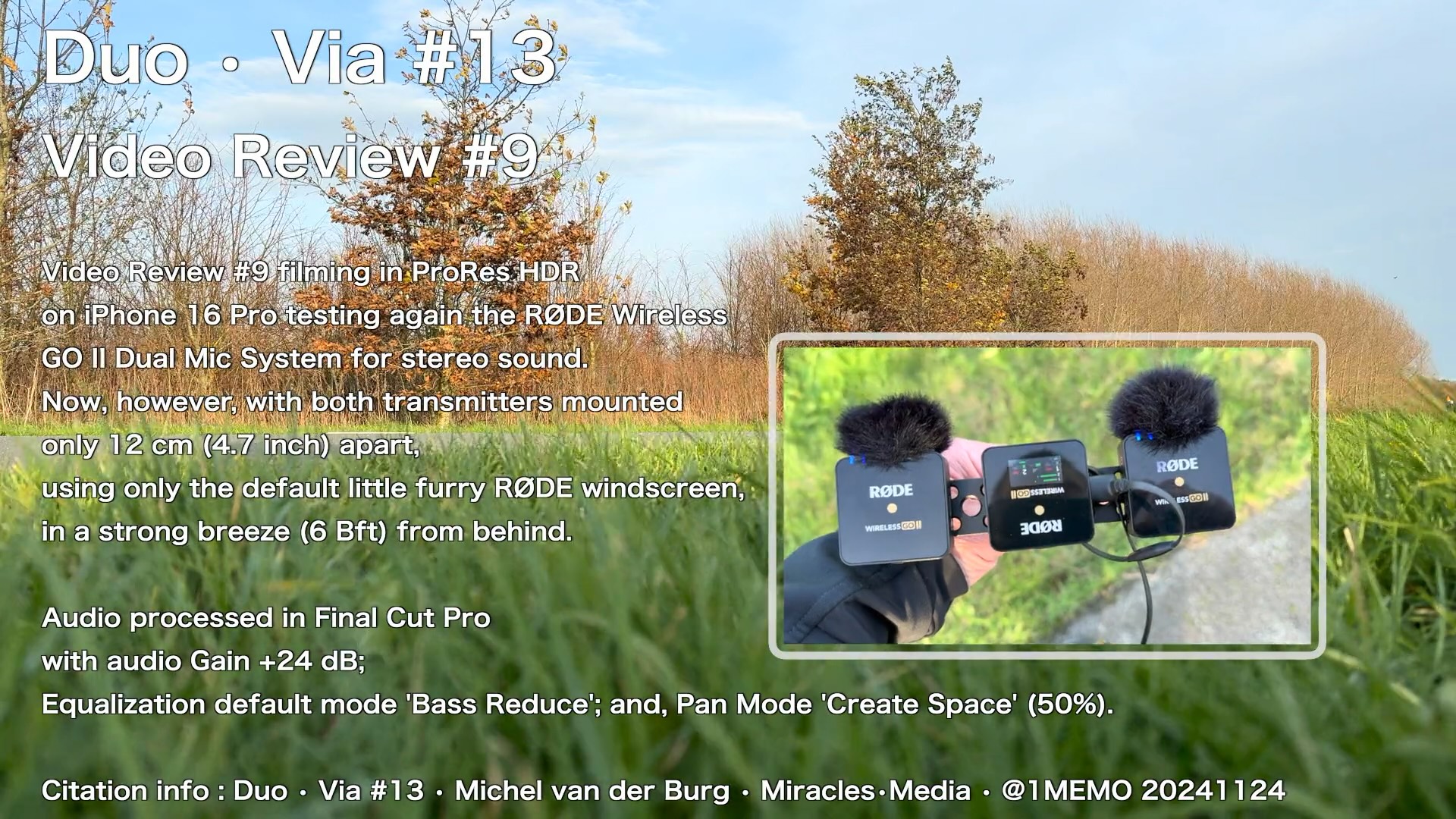
Video Review #9 filmed in ProRes HDR on iPhone 16 Pro testing again the RØDE Wireless GO II Dual Mic System for stereo sound, now, however, with both transmitters mounted only 12 cm (4.7 inch) apart (more tomorrow on this in Review #10), and using only the default little furry RØDE windscreen.

RØDE Receiver (RX) internal settings at Split mode, with Gain level high (howver, the gain settings on the Wireless GO II RX do not impact the output from the RX via USB to iPhone).

So windscreen protection, was different now from the previous method I used with a second windscreen layer, by packing the entire transmitter in a furry windscreen bag. Even though we had a strong south breeze (SSW, up to 6 Beaufort), with the wind coming from behind in this clip.

Audio processed in Final Cut Pro with audio Gain +24 dB; Equalization default mode ‘Bass Reduce’; and, Pan Mode ‘Create Space’ (50%).
Citation info : Duo • Via #13 • Michel van der Burg • Miracles•Media • @1MEMO 20241124 • TakeNode 63c37564-3841-4968-8214-fbbfdf19c3ef

FCP Color Conform Tool | 20230530


Sony ZV-1 versus iPhone 12 Pro quick color matching and colorgrading test with new tools in a FCP 10.6.6 wide gamut library with a Rec 2020 HLG project setting for this Sony ZV-1 footage 1080p 50 fps shot with PP10 profile with Hybrid Log-Gamma HLG2 (orignal dark dull footage, underexposed in 2022 before I understood zero exposure correction is best for the ZV-1 HLG setting) compared with iPhone 12 Pro Max 4K 60 fps HDR (underexposure -0.3 as always). Sony is used in HD mode because the screen is to dark to watch in sunlight in 4K mode. No color grading for iPhone footage. Color grading ZV-1 now using the Apple FCP Color Conform Tool – Manual Mode : PQ to HLG with Peak brightness 177. Adjustment of Black Point (midtones) and shadows Neat Video noise reduction for ZV-1 footage. Exported as HEVC Dolby Vision (Version 1.0, dvhe.08.12, BL+RPU, HLG compatible) 70 Mb/s HLG BT.2020 . Picardy coast May 2022, France.
License : FCP Color Conform Tool | 20230530 | Michel van der Burg | 1-memo•com | TakeNode cc583e7f-54c9-423c-a56d-87d1c10ff864

TAGS #color #conform #tool #dolby #vision #HLG #HDR #Sony #ZV1 #iPhone #colorgrading #FCPX #FCP #HLG2 #PP10 #sea #Picardy #France #Ault #neat video #1minute #TakeNode #1Memo #MiraclesMedia #michelvanderburg

Color Grading Dolby Sony ZV-1 2020–2023 | 20230220


Follow-up colorgrading experiment in a FCP wide gamut library with a Rec 2020 HLG project setting for this Sony ZV-1 footage shot with PP10 profile with Hybrid Log-Gamma HLG2. Color grading now includes use of the Apple FCP HDR Tools – Mode : PQ to HLG (Rec. 2100). This HDR Tools Mode was used too in previous ZV1 films this month. Exported as HEVC Dolby Vision (Version 1.0, dvhe.08.12, BL+RPU, HLG compatible) 70 Mb/s HLG BT.2020 .
Footage used previously for intro of a Sennheiser MKE200 Microphone Review , first published September 20th 2020 (20200920) and filmed that day with the Sony ZV-1 camera at sunset in the Green Heart of Holland. See : Sennheiser MKE200 Microphone Review | 20200920 | youtu•be/CXC6wHzPar0
License : Color Grading HLG Sony ZV-1 2020–2023 | 20230220 | Michel van der Burg | 1-memo•com | TakeNode 1ce79639-a193-4dfb-9faf-28b5acdf05b8

TAGS #HDRTools #dolbyvision #Sennheiser #MKE200 #Rec2020 #HLG #Sony #ZV1 #1Memo #MiraclesMedia #michelvanderburg #Holland #sunset #peat #polder #colorgrading #FCPX #FCP #HLG #HLG2 #PP10 #microphone #windscreen #1minute #TakeNode

New User HDR Title Templates | 20220918


New User HDR Title Templates | 20220918 | Michel van der Burg | Miracles•Media | Quod Erat Demonstrandum (Which was to be demonstrated). Video made with a new user account on my Mac using Final Cut Pro first time in that account – using the yesterday presented custom made HDR title templates (BUM20220917_Titles). First, before starting FCP, the Titles folder (containing the HDR_Titles folder) was dragged inside the (empty) Motion Templates folder in the Movies folder of this new account. See yesterday’s post (HDR Title Templates Final Cut Pro | 20220917 | https://1-memo.com/2022/09/17/hdr-title-templates-final-cut-pro-20220917/ ) for more info on the use of this free download of HDR Title templates via buymeacoffee•com/miracles•media . TakeNode : c5a4797b-e1d2-498e-bff9-4d3cef83b07b

TAGS #QED #video #tech #software #edit #FinalCutPro #FCP #FCPX #Motion #template #title #HDR #HLG #transition #effect #white #tool #custom #download #buymeacoffee #miraclesmedia #TakeNode #1Memo #michelvanderburg

HDR Title Templates Final Cut Pro | 20220917


HDR Title Templates Final Cut Pro | 20220917 | Michel van der Burg @ Miracles•Media | Custom made HDR title templates for use in both HDR or SDR projects in Final Cut Pro. Use the templates in HDR projects with eg 50-100% opacity. In SDR projects use these HDR templates with eg 2-5% opacity. Free download HDR_Titles at buymeacoffee•com/miracles•media . TakeNode (license) title templates (BUM20220917_Titles) : 8875369d-fe0a-4e62-8986-c3ffebb5eec2

Limited number of slots available .

Instructions for use : Download and Unzip the folder file BUM20220917_Titles.zip containing the folder HDR_Titles. Move the HDR_Titles folder into your Titles folder inside your folder Motion Templates in the Movies folder … see guide in description below.
Open the folder BUM20220917_Titles. This contains the folder Titles with the template folder HDR_Titles.
On your Mac open folder Movies , go to folder Motion Templates. Open Motion Templates , if your folder already contains a Titles folder , just drag the HDR_Titles folder inside your Titles folder (see image in video). Else, if your Motion Templates folder has no Titles folder , drag the downloaded Titles folder (containing the HDR_Titles folder) inside your Motion Templates folder (see image in video). Feel free to support my work and buy me a coffee ;) I just created that page. Title templates (2) names :
01HDR4KLowThird100
02HDR4KCredit100

Download BUM20220917_Titles (limited number available) via buymeacoffee•com/miracles•media

TakeNode video : fd4c27af-1829-4687-9c5d-5493da89469e

TAGS #video #tech #software #edit #FinalCutPro #FCP #FCPX #Motion #template #title #HDR #HLG #transition #effect #white #tool #custom #download #buymeacoffee #miraclesmedia #TakeNode #1Memo #michelvanderburg

Color Grading Dolby Sony ZV-1 | 20210222


Color Grading Dolby Sony ZV-1 | 20210222 | 1-memo•com
New edition of footage used previously for a Sennheiser MKE200 Microphone Review , first published September 20th 2020 (20200920) and filmed that day with the Sony ZV-1 camera at sunset in the Green Heart of Holland. No fur windscreen on top of the Sennheiser MKE200 Microphone (which has some built in sheet protection), using footage shot before the actual review discussion ;)

Follow up on experiments with including now Dolby Vision metadata with HDR export after some colorgrading on footage shown before as : 1) Sennheiser MKE200 & Sony ZV-1 HLG | 20210212
and
2) Final Color Grading HLG Sony ZV-1 | 20200925~20200929

Macbook Air M1 is much slower than expected and/or first experienced. After showing a 2-3 times faster export from FCP the first 1-2 days , now export times are probably similar compared to my maxed-out late 2015 iMac.
Note also that I did start all software on the M1 Mac fresh – no copying of system or applications from the older Mac.
I left out titles/logos here , trying to improve export time – with no success it seems.
Exporting time of these 4K HDR files is roughly 10 times the length of the video.

NO Neat Video noise reduction available it seems for this M1 chip mac. I applied both FCP native noise reduction effect , and some color grading (exposure mostly, and some saturation and color temp changes) using the FCP color wheels on a custom Motion made 4K-wide gamut adjustment layer. The important adjustmenst are a major increase in midtones exposure , and slight exposure decrease in highlights and shadows

Now a FCP wide gamut library was used, with a Rec 2020 HLG project setting for this raw HDR footage filmed with the Sony ZV-1 camera set on the PP10 picture profile with Hybrid Log-Gamma HLG2. Now noise reduction now either.
Though the original footage is 8-bit, correct export from this FCPX project requires 10-bit.
TAGS #youtubeHDR #dolbyvision #bigsur #MacbookAirM1 #SmartHDR #SennheiserMKE200 #Rec2020HLG #SonyZV1 #1Memo #MiraclesMedia #michelvanderburg #Holland #sunset #peat #polder #colorgrading #noisereduction #neatvideo #FCPX #FCP #HLG #HLG2 #PP10 #microphone #windscreen #1minute

Dolby Vision | 20210218


Dolby Vision | 20210218 | 1-memo•com
Polder waterway in the Green Heart of Holland.
Exported using Compressor format Apple Devices 4K (HEVC 10-bit, HLG, Dolby Vision 8.4). This format was first used for yesterdays video Thaw | 20210217. Uploading at YouTube resulted for me for the first time in YouTube adding label HDR at conversion. This new Apple export format is only available when using Mac OS Big Sur – that I am using on a new Macbook Air M1 now.
Before , when exporting HDR footage on my Mac I used HEVC 10-bit, Rec.2020 HLG – and no mention of Dolby here , probably not including Dolby Vision metadata.
Filmed using the iPhone 12 Pro Max , 4K HDR , ECV -0.3 using Shure MV88 for audio with default preset Acoustic, plus the build-in low-­frequency cutoff filter for wind noise reduction – and a Rycote Windjammer fur-cover on top.
TAGS #youtubeHDR #dolbyvision #bigsur #MacbookAirM1 #ShureMV88 #SmartHDR #1Memo #MiraclesMedia #michelvanderburg #iPhone12 #AppleHDR #Rec2020HLG #Holland #winter #ice #ditch #polder #waterway #Rycote #windjammer #wind #1minute